The modern workday is filled with tasks that seem small but quietly consume hours. Sorting emails, writing routine documents, taking meeting notes, researching information, updating spreadsheets, and switching between different apps can quickly eat into your productive time.
The good news is that AI is changing the way these tasks are handled.
What Are AI Productivity Tools?
In 2026, AI productivity tools have moved far beyond simple chatbots. Today’s tools can research information, summarize meetings, create presentations, automate repetitive workflows, generate designs, and even build working applications. Instead of simply telling you what to do, many AI tools can now complete parts of the work for you.
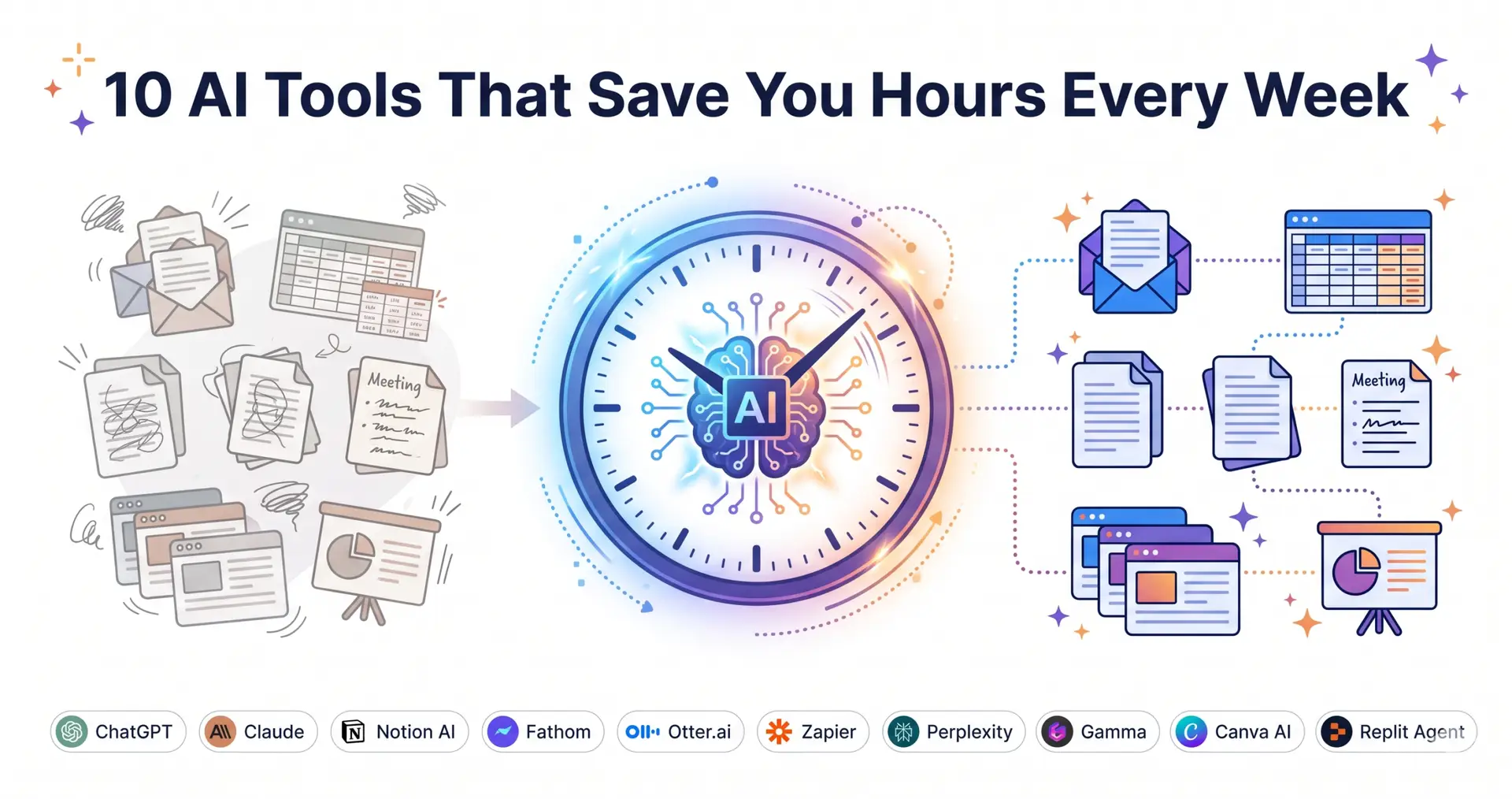
We’ve selected 10 AI tools based on their practical productivity benefits, workflow integrations, and ability to reduce repetitive work. Whether you’re a freelancer, marketer, business owner, researcher, or part of a larger team, these tools can help you reclaim valuable hours every week.
10 Best AI Productivity Tools in 2026
1. ChatGPT: The All-Purpose AI Productivity Assistant
Best for: Writing, research, brainstorming, automation, coding, and general productivity
ChatGPT has become one of the most versatile AI tools for everyday work. Rather than using separate tools for writing, brainstorming, research, coding, and content creation, you can handle many of these tasks within a single conversation.
Its multimodal capabilities also make it useful for working with different types of content. You can ask it to analyze documents, brainstorm marketing campaigns, write website copy, create code, summarize information, or develop ideas for visual content.
For individuals and teams working across multiple projects, this flexibility can significantly reduce the need to switch between different applications.
How it saves time:
A task such as drafting an email, summarizing a long document, creating content ideas, or developing a first version of a landing page can take minutes instead of requiring separate tools and multiple rounds of manual work.
2. Claude: An AI Writing and Research Partner
Best for: Long-form writing, editing, research, analysis, and maintaining writing style
Claude is particularly useful for people who regularly work with large documents, detailed research, or long-form content.
Its ability to work with substantial amounts of context makes it useful for analyzing reports, reviewing manuscripts, editing articles, and working on projects where maintaining consistency is important.
Claude can also improve a rough draft while preserving the writer’s original tone rather than completely rewriting it into generic AI-style language.
How it saves time:
Instead of spending hours manually editing a long document, you can use Claude to identify unclear sections, improve structure, fix inconsistencies, and polish the writing in a much shorter amount of time.
3. Notion AI: Turn Your Workspace Into an Intelligent System
Best for: Project management, knowledge management, task automation, and team workflows
Notion has grown from a simple note-taking platform into a broader workspace for managing documents, projects, databases, and team information.
Its AI capabilities add another layer of automation. Notion AI can help summarize information, organize content, generate text, and work with information already stored inside your workspace.
For teams that already use Notion to manage projects and documentation, AI can reduce the amount of manual administration required.
How it saves time:
Instead of repeatedly updating project information, summarizing meeting notes, or organizing tasks manually, you can automate parts of these workflows and spend more time on the actual work.
4. Fathom: Let AI Handle Your Meeting Notes
Best for: Meeting transcription, summaries, action items, and follow-ups
Meetings can consume a significant part of the workweek, especially when someone has to take notes while also participating in the discussion.
Fathom is an AI meeting assistant that can record, transcribe, and summarize online meetings. It works with platforms such as Zoom, Google Meet, and Microsoft Teams.
After a meeting, it can provide summaries, identify action items, and help create follow-up communications. This means you don’t have to rely entirely on handwritten notes or try to remember every important point discussed.
How it saves time:
Instead of spending additional time after every meeting writing notes and organizing action items, you can start with an AI-generated summary and focus your attention on reviewing the important details.
5. Otter.ai: AI-Powered Meeting and Workflow Automation
Best for: Transcription, meeting summaries, sales workflows, recruiting, and team collaboration
Otter.ai goes beyond basic meeting transcription by combining meeting intelligence with workflow automation.
Its AI can automatically join supported online meetings, generate real-time transcripts, summarize discussions, and identify action items. It also offers specialized capabilities for areas such as sales and recruiting.
The platform’s AI chat functionality can help users search through meeting conversations and ask questions about what was discussed.
How it saves time:
After a meeting, teams no longer need to spend as much time reviewing recordings, searching through notes, or manually identifying follow-up tasks. For sales and recruiting teams, automated workflows can also reduce repetitive administrative work.
6. Zapier: Connect Your Apps and Automate Repetitive Work
Best for: Workflow automation, app integrations, and repetitive business tasks
One of the biggest productivity problems in modern businesses is information moving between different applications.
For example, a new lead might arrive through a website form, need to be added to a CRM, trigger a notification, and then generate a follow-up task. Doing these steps manually every time can quickly become repetitive.
Zapier connects thousands of applications and allows users to create automated workflows without having to write traditional code.
Its AI capabilities can also help with tasks such as summarizing information, classifying data, drafting content, and making workflow decisions.
How it saves time:
Tasks such as copying information from emails into spreadsheets, notifying team members about new leads, or updating records after a meeting can be automated instead of completed manually.
Even saving a few minutes per task can add up to several hours over the course of a week.
7. Perplexity: Faster Research With Sources
Best for: Research, fact-finding, source discovery, and information gathering
Research can be one of the most time-consuming parts of knowledge-based work. Finding useful sources, opening multiple websites, comparing information, and creating a summary can take hours.
Perplexity approaches this problem as an AI-powered answer and research engine. Instead of simply returning a list of search results, it can provide a structured response along with sources that you can investigate further.
Its deeper research capabilities are particularly useful when a question requires information from multiple sources.
How it saves time:
Instead of opening dozens of browser tabs and manually collecting information, you can begin with a structured answer and use the cited sources to verify important details.
For marketers, researchers, writers, and business professionals, this can significantly shorten the initial research stage.
8. Gamma: Create Presentations Without Starting From Scratch
Best for: Presentations, visual documents, reports, and business content
Creating a professional presentation can take hours, especially when you have to think about both the content and the visual design.
Gamma uses AI to help users create presentations and other visual documents from prompts. Instead of starting with a blank slide deck, you can provide your topic and let the AI create an initial structure.
You can then edit the content, adjust the design, and refine the presentation before sharing or exporting it.
How it saves time:
A presentation that might normally require hours of formatting can be created in a much shorter period. AI handles much of the initial structure and visual organization, allowing you to concentrate on the message.
9. Canva AI: Design Faster Without Being a Designer
Best for: Social media graphics, marketing materials, presentations, and visual content
Not every business has an in-house designer, and not every marketing task requires professional design software.
Canva AI makes it easier for non-designers to create social media graphics, presentations, blog visuals, promotional materials, and other marketing assets.
Its AI-powered features can help generate visual ideas and content, while Canva’s drag-and-drop editor makes it easy to make final adjustments.
How it saves time:
Instead of spending hours creating a graphic from scratch or learning complicated design software, you can generate a starting point with AI and refine it using Canva’s existing templates and editing tools.
For social media teams and small businesses, this can make regular content production much faster.
10. Replit Agent: Build Websites and Apps With AI
Best for: Rapid prototypes, websites, internal tools, and simple applications
Building even a simple application traditionally requires coding knowledge or assistance from a developer.
Replit Agent changes that workflow by allowing users to describe what they want to build using natural language. The AI can then generate a working application that users can test, modify, and improve.
This can be particularly useful for businesses that want to quickly test an idea before investing significant development time and resources.
How it saves time:
Instead of waiting days or weeks to develop a basic prototype, teams can move from an idea to a working version much faster. This is useful for internal dashboards, simple web applications, forms, landing pages, and proof-of-concept projects.
How to Choose the Right AI Productivity Tools
You don’t need to start using all 10 tools at once.
The best approach is to identify the tasks that consume the most time in your current workflow and then choose an AI tool that directly addresses that problem.
|
AI tool |
Best use case |
Main benefit |
|---|---|---|
|
ChatGPT |
General productivity |
Writing, brainstorming and analysis |
|
Claude |
Long-form writing |
Drafting and document analysis |
|
Notion AI |
Team organization |
Knowledge and project workflows |
|
Fathom |
Meeting notes |
Meeting summaries and action items |
|
Otter.ai |
Transcription |
Searchable meeting transcripts |
|
Zapier |
Automation |
Connecting apps and repetitive workflows |
|
Perplexity |
Research |
Finding information with sources |
|
Gamma |
Presentations |
Creating presentation drafts |
|
Canva AI |
Graphic design |
Creating marketing visuals |
|
Replit Agent |
App development |
Building and testing app prototypes |
The goal isn’t to collect as many AI tools as possible. It’s to build a workflow where AI takes care of repetitive tasks while you focus on work that requires creativity, judgment, strategy, and human decision-making.
Final Thoughts
The biggest productivity gains from AI don’t necessarily come from using one powerful tool. They come from identifying repetitive tasks and finding ways to automate them.
Start with one or two areas where you lose the most time. If meetings are your biggest problem, try an AI meeting assistant. If research takes up most of your day, use an AI research tool. If you’re constantly moving information between applications, workflow automation may deliver the biggest benefit.
Once you find what works, gradually expand your AI workflow.
The future of productivity isn’t about working faster every minute. It’s about letting AI handle more of the repetitive work so you can spend your time on the work that actually matters.