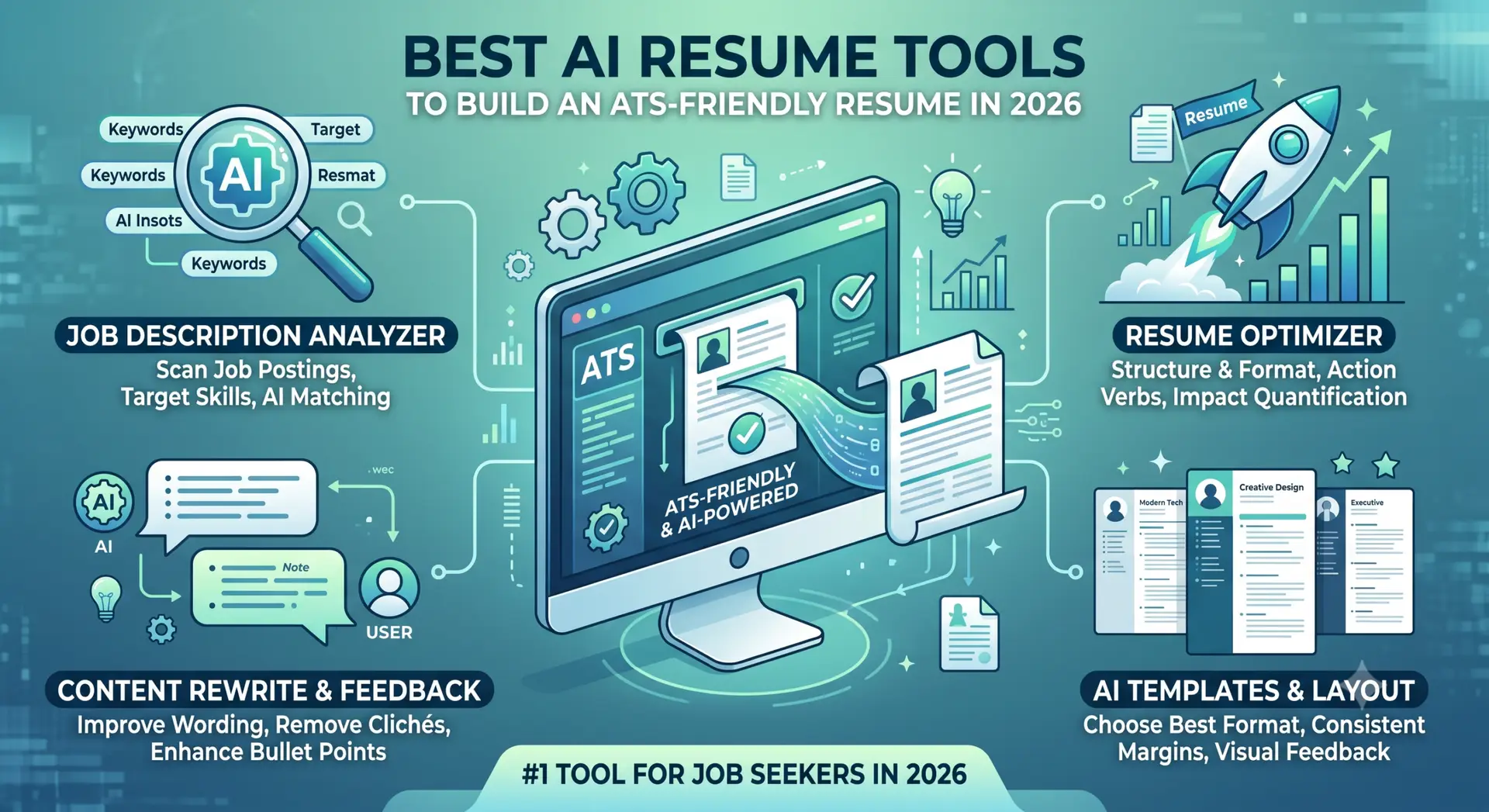
The job market is more competitive than ever. Recruiters often spend only a few seconds reviewing a resume before deciding whether to move forward. And before your resume even reaches a recruiter, it may need to pass an Applicant Tracking System (ATS).
Creating a resume from scratch can be challenging. You may struggle to remember achievements from previous jobs, choose the right keywords, or describe your experience in a way that gets attention.
This is where Best AI resume tools can help.
From matching your resume with job descriptions to improving bullet points and checking ATS compatibility, AI-powered tools can make the resume-building process faster and more effective.
Here are some of the best AI tools for creating, optimizing, and improving your resume in 2026.
1. Teal – Best for Managing Your Job Search
Teal is more than just a resume builder. It combines resume creation with job-search management, making it useful if you’re applying to multiple positions.
The platform can compare your resume with a job description and identify important skills and keywords that may be missing. It can also help generate achievement-focused bullet points and create customized versions of your resume for different jobs.
Key Features:
- Job application tracking
- Resume keyword matching
- AI-generated resume content
- Achievement bullet suggestions
- Multiple resume versions
- Job description analysis
Best for: Job seekers who want to manage their applications and tailor their resumes efficiently.
Pricing: Free plan available, with paid plans offering additional AI and job-search features.
2. Kickresume – Best for Creative and Visually Appealing Resumes
If you want a resume that looks professional while still standing out visually, Kickresume is worth considering.
Its AI features can help generate resume content based on your job title and experience. It also provides a wide range of professionally designed templates.
One of its useful features is the ability to turn your resume into a personal website, which can be particularly valuable for professionals in creative industries.
Key Features:
- AI-powered resume writing
- Professional templates
- Cover letter generator
- Personal website creation
- Resume examples
- Customizable designs
Best for: Designers, marketers, creatives, and professionals who want a more visually engaging resume.
Pricing: Free options are available, while premium plans provide access to additional templates and AI features.
3. Rezi – Best for ATS Optimization
If your biggest concern is getting your resume through an ATS, Rezi focuses heavily on resume optimization.
The platform analyzes your resume and provides feedback based on ATS-friendly practices. It can also help rewrite weak statements into stronger, action-oriented bullet points.
Rezi is particularly useful for identifying areas where your resume could be more specific, relevant, and measurable.
Key Features:
- ATS resume optimization
- AI-powered content suggestions
- Keyword analysis
- Resume scoring
- Achievement bullet generation
- Professional resume templates
Best for: Job seekers who want to prioritize ATS compatibility.
Pricing: Free features are available, with premium options for more advanced functionality.
4. Enhancv – Best for Experienced Professionals
A resume shouldn’t simply list your responsibilities. For experienced professionals, it should communicate leadership, impact, achievements, and career growth.
That’s where Enhancv can be useful.
Its AI-powered tools help transform basic job descriptions into more compelling career stories. You can also include unique resume sections, such as personal philosophies, strengths, achievements, and other information that helps showcase your professional personality.
Key Features:
- AI-powered resume improvement
- Achievement-focused content
- Modern templates
- Custom resume sections
- Cover letter creation
- Resume analysis
Best for: Senior professionals, managers, executives, and candidates who want their career story to stand out.
Pricing: Free trial and paid plans are available.
5. Jobscan – Best for Final Resume Checks
Unlike traditional resume builders, Jobscan is primarily focused on analyzing and optimizing your existing resume.
You can compare your resume with a specific job description to see how closely they match. Jobscan can identify missing keywords, skills, and potential formatting issues that could affect your ATS performance.
It can also provide tools for improving your LinkedIn profile.
Key Features:
- Resume-to-job-description comparison
- ATS compatibility analysis
- Keyword gap analysis
- Resume optimization
- LinkedIn optimization
Best for: Candidates who already have a resume and want to optimize it before applying.
Pricing: Limited free scans are available, with paid plans offering additional scanning and optimization features.
6. ChatGPT and Other General AI Tools – Best for Custom Resume Writing
You don’t necessarily need a specialized resume platform to improve your resume.
General AI tools such as ChatGPT can be extremely useful when you provide clear instructions and accurate information about your experience.
For example, instead of asking:
“Improve my resume.”
You can provide a specific job description and ask AI to rewrite your existing bullet points using strong action verbs while keeping all information truthful.
AI can help you:
- Rewrite weak bullet points
- Make descriptions more achievement-focused
- Identify relevant keywords
- Tailor your resume to a specific job
- Improve grammar and clarity
- Create professional summaries
- Draft cover letters
- Brainstorm ways to describe your achievements
The most important rule is simple: never allow AI to invent experience, skills, responsibilities, or performance numbers.
How to Use AI Without Hurting Your Resume
AI can make your resume stronger, but using it incorrectly can have the opposite effect.
Here are some important things to remember.
1. Don’t Invent Numbers
AI may suggest impressive metrics such as “increased sales by 40%” or “reduced costs by 25%.”
Only use numbers that are based on your actual experience and that you can confidently explain during an interview.
2. Use Keywords Naturally
ATS software looks for relevant keywords, but that doesn’t mean you should stuff your resume with every keyword from the job description.
Only include skills and technologies that you genuinely have experience with.
3. Keep Your Resume ATS-Friendly
A simple layout is usually safer for ATS systems.
Avoid excessive graphics, complicated tables, multiple columns, unusual fonts, and overly decorative designs when applying through an online application system.
4. Focus on Achievements
Don’t simply describe what you were responsible for.
Instead of:
“Responsible for managing a sales team.”
A stronger version could be:
“Led a 10-member sales team and improved monthly sales performance through structured follow-ups and pipeline management.”
The second version communicates both your responsibility and your impact.
5. Keep the Language Natural
One common problem with AI-generated resumes is that they can sound overly polished or robotic.
Use AI as an assistant—not as a replacement for your own voice.
Read every section and make sure you would actually say the same thing in an interview.
The Best AI Resume Workflow
You don’t necessarily have to choose just one AI tool. Combining different tools can make the process more effective.
Here’s a simple workflow:
Step 1: Start With Your Real Experience
Collect your previous job titles, responsibilities, achievements, skills, certifications, and education.
Don’t worry about perfect wording at this stage.
Step 2: Use AI to Improve Your Content
Use ChatGPT or another AI writing tool to turn your rough notes into concise, achievement-focused bullet points.
Step 3: Tailor Your Resume
Use a tool such as Teal or Rezi to compare your resume with the specific job description and identify relevant keywords or missing skills.
Step 4: Run a Final Check
Use Jobscan or a similar ATS analysis tool to identify potential gaps before submitting your application.
Step 5: Review Everything Yourself
Finally, read your resume carefully.
Check every achievement, number, skill, job title, date, and statement to make sure it is accurate.
Final Thoughts
AI has made resume creation faster and easier, but it doesn’t replace the value of real experience.
The best results come from combining your genuine experience with AI-powered optimization.
Tools such as Teal, Kickresume, Rezi, Enhancv, Jobscan, and ChatGPT can help you improve different parts of the process—from writing and formatting to keyword matching and ATS optimization.
However, the goal shouldn’t be to create a resume that simply “beats the ATS.”
The goal is to create a resume that gets through the ATS, catches the recruiter’s attention, and accurately demonstrates why you’re the right candidate for the job.
Use AI to save time, improve your wording, and tailor your applications—but always keep your resume truthful, relevant, and authentically yours.